

Enterprise messaging teams face a brutal reality: customer expectations for instant, accurate, multi-channel responses have outpaced what manual processes or basic rule-based bots can deliver. When your organization handles tens of thousands of conversations daily across SMS, WhatsApp, chat, and email, the difference between a fragile automation stack and a resilient AI-driven workflow is measured in resolution rates, customer satisfaction scores, and real revenue impact. This guide breaks down five proven AI messaging node workflow patterns, the criteria that separate enterprise-grade designs from amateur setups, and the concrete tools and configurations that make each one work at scale.
Table of Contents
- Key criteria for building enterprise AI messaging workflows
- AI-powered chat triage: Multi-path classification and backend automation
- Multi-channel loop: AI response automation for WhatsApp messages
- Stateful SMS conversations: Sequential AI messaging loops
- Omnichannel marketing automation: AI-personalized lifecycle messaging
- The real difference: Enterprise automation is about outcomes, not just deflection
- Supercharge your enterprise messaging with SendStackr
- Frequently asked questions
Key Takeaways
| Point | Details |
|---|---|
| Intent-driven routing | Workflows that classify messages by intent deliver faster and more accurate support or actions. |
| Cross-channel automation | AI-powered workflows can manage messaging across chat, SMS, WhatsApp, email, and more with consistent logic. |
| Behavior-driven marketing | AI enables personalized, context-aware marketing at scale by analyzing real customer behaviors and outcomes. |
| Benchmark for outcomes | Leading enterprises measure success by resolution and customer satisfaction, not just by lowering contact volume. |
| Rapid prototyping and compliance | Modern workflow tools let teams build, test, and measure complex automations with enterprise controls. |
Key criteria for building enterprise AI messaging workflows
With the why established, let's clarify what separates enterprise-grade messaging workflows from simpler automations.
Most organizations start with the same mistake: they automate the easy parts first. They set up a keyword-triggered auto-reply, call it "AI," and wonder why resolution rates barely move. Real enterprise messaging automation requires a fundamentally different design philosophy.
A robust enterprise messaging node workflow generally needs: (1) explicit routing and classification of intent to decide the downstream action, (2) structured conversation management covering sessions, timeouts, and transcripts, (3) deterministic side effects like ticket creation, task requests, and CRM updates, and (4) measurable handover and failure handling paths.
Here is what that looks like in practice across four foundational criteria:
- Intent classification accuracy: Your AI layer must distinguish between a billing complaint, a technical incident, and a general inquiry with high confidence. Misclassification at this stage cascades into wrong backend actions, frustrated customers, and compliance gaps.
- Conversation state management: Multi-turn conversations require session context. Without it, every message feels like the first one, and customers repeat themselves endlessly.
- Deterministic side effects: Every workflow action that touches a backend system (CRM update, ticket creation, appointment booking) must be logged, auditable, and reversible. This is non-negotiable for regulated industries.
- Handover and failure paths: What happens when the AI cannot resolve the issue? A well-designed workflow routes gracefully to a human agent, logs the transcript, and preserves full context. A poorly designed one drops the conversation entirely.
"The best enterprise AI messaging workflows are not measured by how many conversations they deflect. They are measured by how many they actually resolve, and how cleanly they hand off the ones they cannot."
Following AI messaging best practices at the design stage saves enormous rework later. Teams that skip this phase often rebuild their entire workflow architecture within six months.
AI-powered chat triage: Multi-path classification and backend automation
Armed with evaluation criteria, let's see how these are realized in a real-world AI chat triage workflow.

Chat triage is where most enterprise support teams see the fastest ROI from AI automation. The reason is straightforward: inbound support volume is high, intent categories are relatively predictable, and backend systems like ServiceNow or Jira already exist to receive structured inputs.
A concrete enterprise support workflow pattern uses LLM-based three-way classification of inbound chat and then executes different backend actions, including ServiceNow incident creation, Service Catalog request submission via HTTP, or AI-agent handling with web search and memory, with optional summarization and failover logging.
Here is how this workflow runs step by step:
- Inbound message received: The trigger node captures the incoming chat message from your support interface or API endpoint.
- LLM classification: GPT-4 or a comparable model classifies the message into one of three buckets: incident (something is broken), service request (something is needed), or general inquiry (everything else).
- Branch execution: Based on the classification, the workflow routes to the appropriate backend action. Incidents go to ServiceNow incident creation. Requests trigger a Service Catalog HTTP submission. General inquiries route to an AI agent with web search capability and conversation memory.
- Summarization and logging: Regardless of path, the workflow generates a summary of the interaction and logs it for compliance and quality review.
- Failover handling: If classification confidence falls below a threshold, the workflow flags the conversation for human review and preserves full context.
Pro Tip: Map your top 20 inbound intent categories before you build the classification prompt. The more specific your intent taxonomy, the more accurately your LLM will route, and the fewer edge cases you will need to handle manually.
Here is a quick comparison of the three routing paths in this workflow:
| Path | Trigger condition | Backend action | AI involvement |
|---|---|---|---|
| Incident | Service outage, error report | ServiceNow incident creation | Classification only |
| Service request | Access request, provisioning | HTTP to Service Catalog | Classification only |
| General inquiry | Policy questions, guidance | AI agent with memory and web search | Full agent loop |
The value of enterprise chat automation at this level is not just speed. It is consistency. Every incident gets logged the same way. Every request follows the same approval chain. That auditability is what makes AI-powered triage defensible to compliance teams.
Multi-channel loop: AI response automation for WhatsApp messages
Support isn't the only use case. Marketing and customer updates often require multi-channel, multi-format messaging at scale.
WhatsApp has become a primary enterprise communication channel in many markets, and it presents unique challenges that simpler chat workflows cannot handle. Customers send text, images, voice notes, and video. Your workflow needs to handle all of them without breaking.
For scalable multi-step messaging loops, n8n templates route incoming WhatsApp messages into different processing branches covering text, image, audio, and video, use an AI Agent for response generation, and send the result back over the WhatsApp Business API integration.
The key design elements in a production-ready WhatsApp AI workflow include:
- Message type routing: A switch node at the entry point inspects the incoming message payload and branches based on content type. Text goes one way, media files go another.
- Media preprocessing: Audio messages require transcription before the AI agent can process them. Images may need OCR or vision model analysis. This preprocessing step is often overlooked and causes failures in production.
- AI agent with tool access: The core response engine connects to a knowledge base, can query Wikipedia or internal documentation, and generates contextually appropriate replies.
- Delivery confirmation loop: After sending the response, the workflow checks for delivery receipts and logs failures for retry or escalation.
Here is a breakdown of message type handling across a production WhatsApp workflow:
| Message type | Preprocessing step | AI processing | Output format |
|---|---|---|---|
| Text | None required | Direct to AI agent | Text reply |
| Image | Vision model or OCR | AI agent with image context | Text reply |
| Audio | Transcription (Whisper) | AI agent with transcript | Text reply |
| Video | Frame extraction or transcript | AI agent with summary | Text reply |
Pro Tip: Set explicit timeout thresholds for media preprocessing. Large audio files or high-resolution images can stall your workflow. A 30-second timeout with a fallback message keeps the customer experience smooth while you process asynchronously.
The scalability of AI messaging for WhatsApp at this level is significant. When your workflow handles content diversity automatically, you can process millions of messages without manual intervention, and every interaction is logged with full context for quality review.
Stateful SMS conversations: Sequential AI messaging loops
Channel-specific tactics also matter. SMS remains mission-critical for many workflows.
SMS is often underestimated in enterprise AI automation discussions because it looks simple on the surface. But stateful SMS conversations, where the AI maintains context across multiple exchanges and delivers structured, sequential messages, require careful workflow design to get right.
A reference enterprise implementation for SMS conversation state uses a webhook entry point, flattens and aggregates multi-message context, has an AI agent generate a structured JSON response containing one to three SMS messages, then loops over replies and sends each message sequentially.
Here is the step-by-step architecture for a stateful SMS workflow:
- Webhook entry: Incoming SMS arrives via your carrier's webhook. The payload includes the sender number, message body, and timestamp.
- Context aggregation: The workflow retrieves prior conversation history from a database or memory store, flattens it into a structured prompt context, and passes it to the AI agent.
- AI agent response generation: The agent generates a JSON object containing an array of one to three SMS-length messages, each under 160 characters, with a logical sequence that reads naturally when delivered in order.
- Sequential delivery loop: A loop node iterates over the message array and sends each one with a short delay between deliveries to prevent out-of-order receipt on the customer's device.
- State update: After delivery, the workflow updates the conversation state in your database, flagging the exchange for compliance logging.
"Generating structured JSON from your AI agent instead of raw text gives you precise control over message length, sequencing, and delivery timing. It is the difference between a conversation that feels natural and one that feels like a broken fax machine."
The compliance benefits of this approach are substantial. Every exchange is logged with sender, recipient, timestamp, and full message content. For industries like healthcare, finance, and legal services, that auditability is a requirement, not a nice-to-have. AI SMS automation built on this pattern scales cleanly from hundreds to millions of conversations without architectural changes.
Omnichannel marketing automation: AI-personalized lifecycle messaging
Finally, let's look at the frontiers of AI-driven messaging in marketing, where personalization and behavioral learning drive measurable results.
Static email sequences and one-size-fits-all SMS blasts are losing ground fast. The enterprises seeing the strongest marketing results are using AI to make every message feel like it was written specifically for the recipient, triggered by their actual behavior, and delivered at the optimal moment.
AI marketing automation is behavior-driven and cross-channel, spanning email, SMS, push, and in-app, rather than relying on static rigid workflows, with AI optimizing experiences based on real customer behavior.
The key capabilities that distinguish AI-driven lifecycle messaging from traditional marketing automation include:
- Behavioral segmentation in real time: Instead of static lists, AI systems update segment membership dynamically based on actions like page visits, purchase history, support interactions, and engagement patterns.
- Cross-channel orchestration: A single customer journey spans email, SMS, push notification, and in-app messaging, with the AI deciding which channel to use based on past engagement data.
- Send-time optimization: AI models predict the exact time each individual customer is most likely to engage, rather than blasting everyone at 10 AM on Tuesday.
- Content personalization at scale: Product recommendations, offer amounts, and message tone adapt to each customer's profile without manual segmentation work.
The production data on AI-driven messaging performance is compelling. Analysis of 10,000 chatbot conversations across 127 accounts shows quantified improvements in after-hours response rates and a clear resolution-rate advantage for AI-driven systems over rule-based bots.
The practical implication for enterprise marketing teams is clear: behavior-driven AI workflows do not just improve open rates. They improve the entire customer relationship by delivering relevant communication at every stage of the lifecycle.
The real difference: Enterprise automation is about outcomes, not just deflection
Having surveyed leading workflow patterns, it is crucial to address what KPIs and success metrics actually drive value for enterprises investing in AI automation.
Here is an uncomfortable truth most vendors will not tell you: deflection rate is a vanity metric. It tells you how many conversations your AI handled without a human. It does not tell you whether those conversations were resolved, whether the customer left satisfied, or whether the interaction created business value.
Customer service AI metrics that actually matter center on resolution and Agent Score rather than deflection-only vanity metrics. First Contact Resolution, Customer Satisfaction Score, and intent coverage are the indicators that separate high-performing AI deployments from expensive automation theater.
We have seen enterprise teams celebrate 60% deflection rates while their CSAT scores dropped and their support ticket backlog grew. The AI was handling conversations, but it was not resolving them. Customers were abandoning the bot and calling back, which inflated deflection numbers while hiding the real problem.
The right design approach inverts this. Start with your target resolution rate and work backward to the workflow design. Ask: what information does the AI need to fully resolve this intent? What backend actions need to happen? What does a successful handoff look like when the AI cannot resolve it? These questions lead to fundamentally better workflow architecture than starting with "how do we deflect more tickets?"
Teams that track real-world workflow outcomes against resolution-centric KPIs consistently outperform those chasing deflection numbers. The workflows described in this guide are all designed with resolution as the primary success criterion, which is why they produce durable business value rather than short-term metric improvements.
Supercharge your enterprise messaging with SendStackr
If you're ready to operationalize the strategies explored above, here's an enterprise-ready launchpad.
The workflow patterns in this guide represent the architecture of modern enterprise messaging. But architecture alone does not ship. You need infrastructure that connects your Android devices, CRMs, and messaging channels into a unified automation layer without requiring a team of engineers to maintain it.
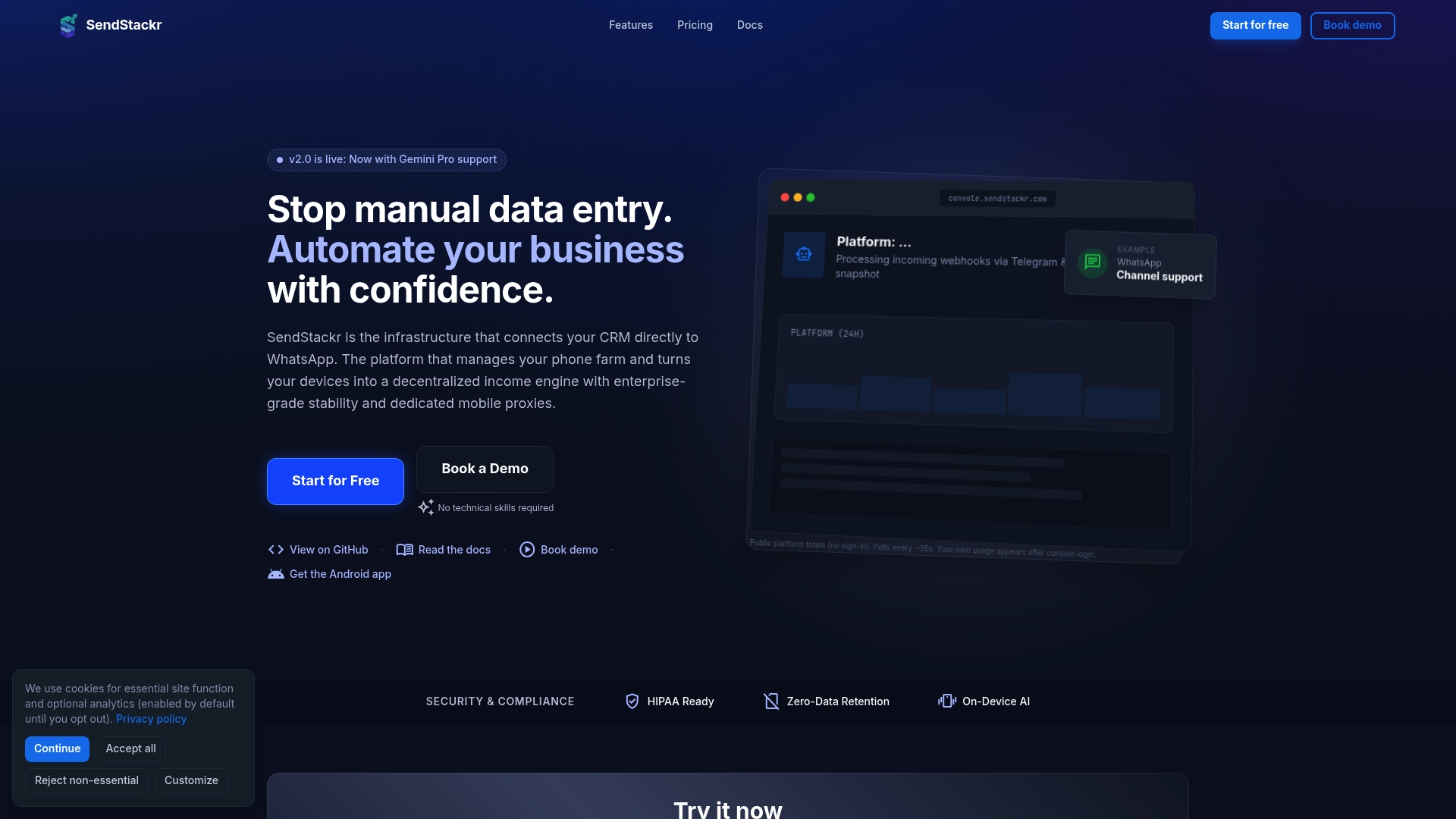
SendStackr is built precisely for this challenge. The platform's drag-and-drop workflow builder lets your team prototype and deploy AI-driven messaging workflows across SMS, WhatsApp, and push notifications without writing a line of code. Connect your CRM directly to WhatsApp, manage phone farms, capture OTPs, and route messages through decentralized device-based proxies, all from a single dashboard. When you're ready to scale from thousands to millions of messages, get started with SendStackr and bring every workflow pattern from this guide into production.
Frequently asked questions
What is a messaging node workflow?
A messaging node workflow is a series of automated processes that manage, route, and respond to messages across various channels using modular logic and AI integration. Each node in the workflow performs a specific function, such as classification, response generation, or backend action, and passes context to the next node in the sequence.
How do AI-powered workflows improve customer service resolution rates?
AI-powered workflows boost resolution rates by routing queries more accurately and providing fast, context-aware answers, surpassing rule-based bots. Analysis of 10,000 chatbot conversations across 127 accounts confirms measurable improvements in after-hours response rates and overall resolution benchmarks compared to traditional rule-based systems.
Can these AI workflows be adapted for industries beyond customer support?
Yes, AI messaging node workflows are versatile and can be tailored for marketing, sales, HR, and other enterprise communication needs. AI marketing automation platforms demonstrate this clearly, applying behavior-driven, cross-channel messaging across email, SMS, push, and in-app touchpoints for lifecycle marketing use cases.
What channels can AI messaging node workflows integrate with?
They can connect with chat, SMS, WhatsApp, email, push, and in-app messaging platforms via integrated APIs. For example, n8n WhatsApp templates route incoming messages across text, image, audio, and video branches, demonstrating the multi-format channel depth that modern enterprise workflows support.